
SPI LED Strip Light
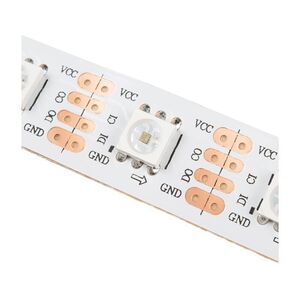
The spi_led_strip light platform drives one or more SPI interfaced RGB LEDs. These LEDs are often used in strips, where
each LED is individually addressable. This component requires an SPI interface to be configured.
This component supports Adafruit’s DotStar protocol (as found in APA102 LEDs, for example), as well as a “raw” protocol that sends RGBW values defined via channel_map.
# Example configuration entry
spi:
  mosi_pin: GPIO06
  clk_pin: GPIO07

light:
  - platform: spi_led_strip
    num_leds: 30
    protocol: DOTSTAR
    channel_map: "B,G,R"
    id: dotstar_rgb_led
    name: "DotStar RGB LED Strip"
    data_rate: 1MHz
  - platform: spi_led_strip
    num_leds: 30
    protocol: RAW
    channel_map: "G,B,R,W"
    id: raw_rgbw_led
    name: "Raw RGBW LED Strip"
    data_rate: 2MHz
Color Correction

It is often favourable to calibrate/correct the color produced by an LED strip light as the
perceived intensity of different colors will generally vary. This can be done by using
color_correct to adjust the relative brightness of the RGB components.
Configuration variables
protocol (Required): Set the protocol. One of
DOTSTAR,RAW.channel_map (Required, string): The RGB order of the strip. Must be a comma-seperated string with any of:
- “R”
- “G”
- “B”
- “W”
num_leds (Optional, int): The number of LEDs attached. The default is 1.
data_rate (Optional): Set the data rate of the SPI interface to the display. One of
80MHz,40MHz,20MHz,10MHz,5MHz,2MHz,1MHz(default),200kHz,75kHzor1kHz.All other options from Light.
You may also need to configure an output GPIO pin to control power to the LEDs, depending on your hardware. Most SPI LED strips do not have a CS input, and are write-only so the SPI miso pin should not be specified.
See Also

